







PTE Mock Test App & Practice Software
Preparing for the PTE exam requires regular practice, effective strategies and consistent performance tracking. A PTE Mock Test App gives students the flexibility to practise PTE questions, take mock tests and improve their skills from anywhere.
Excel PTE provides a complete digital practice platform designed to support PTE preparation with mock tests, section-wise practice, AI-powered scoring, study resources and performance tracking. The app can help students organise their preparation and practise Speaking, Writing, Reading and Listening in one place.
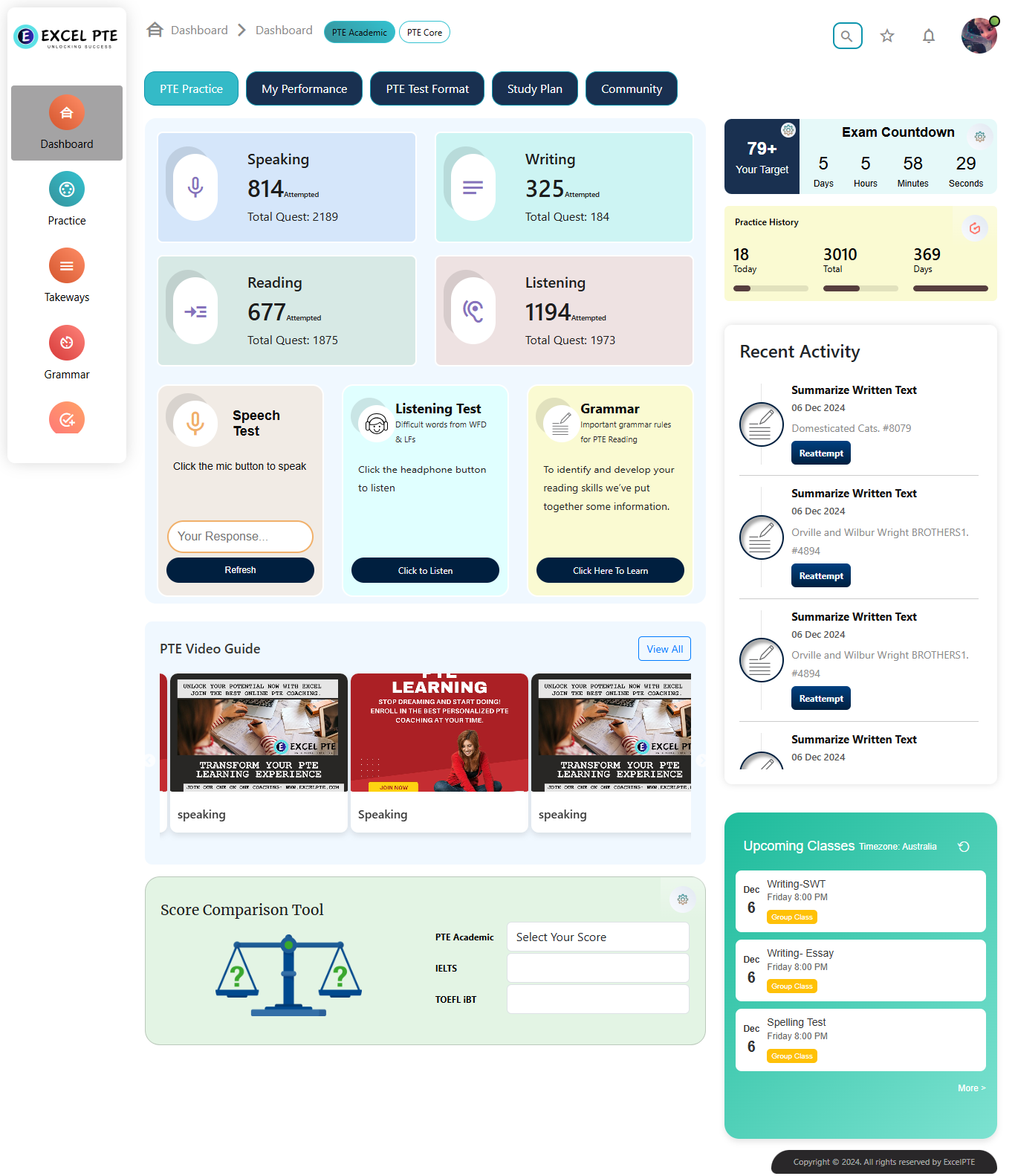
What Is a PTE Mock Test App?
A PTE Mock Test App is a mobile or online application that allows students to practise PTE questions and take simulated tests.
Instead of relying only on classroom practice, students can use a PTE practice app to access preparation resources whenever they need them.
A good PTE mock test app can provide:
The main advantage is convenience. Students can practise regularly without being restricted to a particular classroom or schedule.
- Full-length PTE mock tests
- Section-wise practice
- AI-based scoring
- Speaking practice
- Writing practice
- Reading practice
- Listening practice
- Practice questions
- Performance analysis
- Progress tracking
- Study plans
- Exam strategies
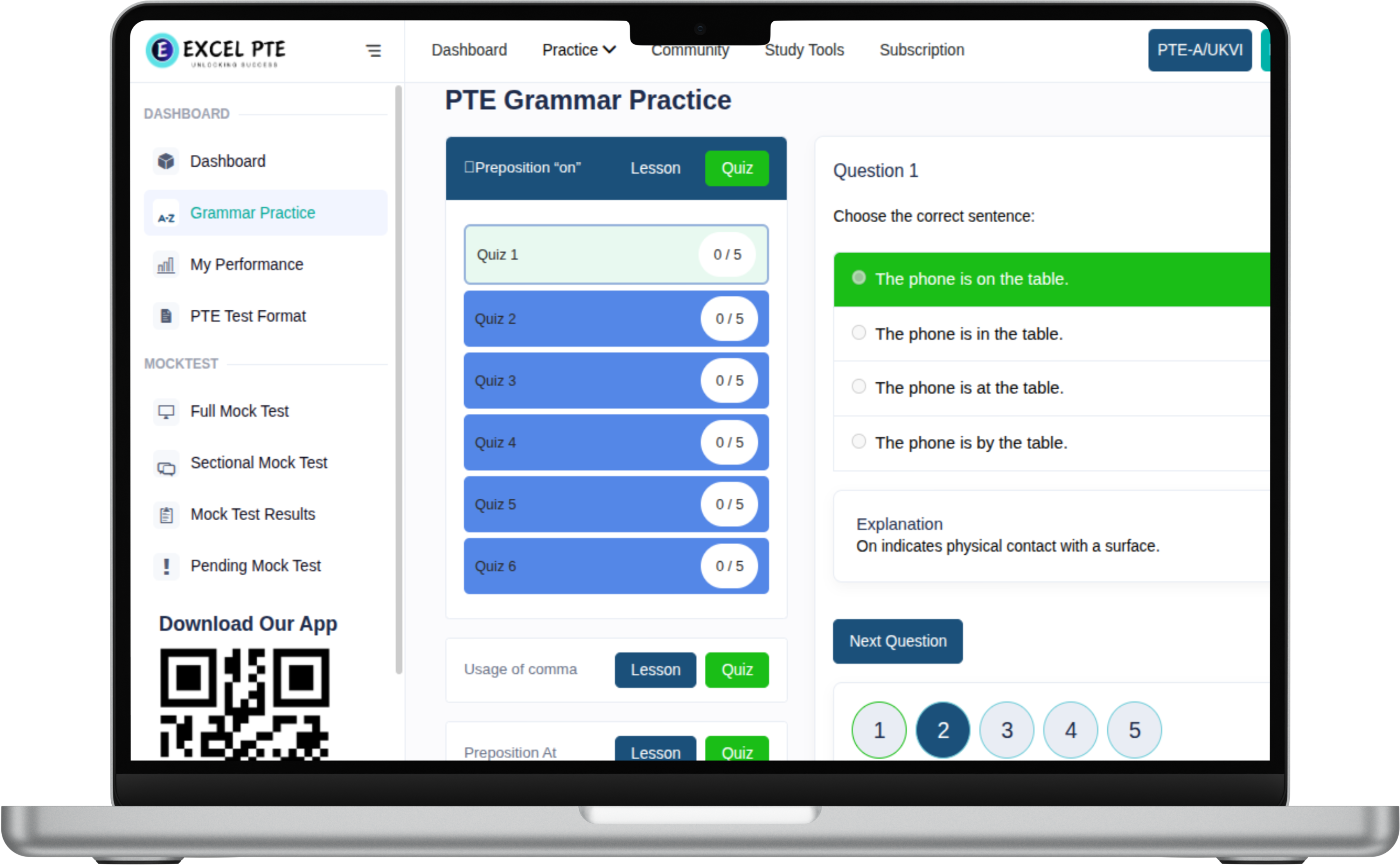
Why Use a PTE Practice App?
Preparing for PTE requires consistency. Using the best app for PTE practice makes it easier to develop a regular study routine.
Practise Anytime: A mobile-based PTE practice app allows you to practise whenever you have time. You can complete a few questions during a short break or dedicate a longer session to a complete mock test.
Access Multiple Question Types: A structured practice platform can bring different PTE question types together, making it easier to practise the skills required for the examination.
Track Your Progress: Performance tracking helps you understand whether your preparation is improving over time.
Get Faster Feedback: AI-powered practice tools can provide automated performance feedback, allowing you to identify areas that require additional attention.
Create a Consistent Study Routine: A dedicated PTE app can help you organise your daily or weekly preparation rather than relying on random online questions.
Best App for PTE Practice
The best app for PTE practice should offer more than a collection of questions. It should provide a structured preparation experience that helps you practise, analyse and improve.
When choosing a PTE preparation app, look for features such as:
- Full-length mock tests
- Section-wise practice
- AI-powered scoring
- Detailed performance analysis
- Speaking practice
- Writing practice
- Reading practice
- Listening practice
- Study plans
- Question explanations
- Progress tracking
- Regular practice resources
- Mobile accessibility
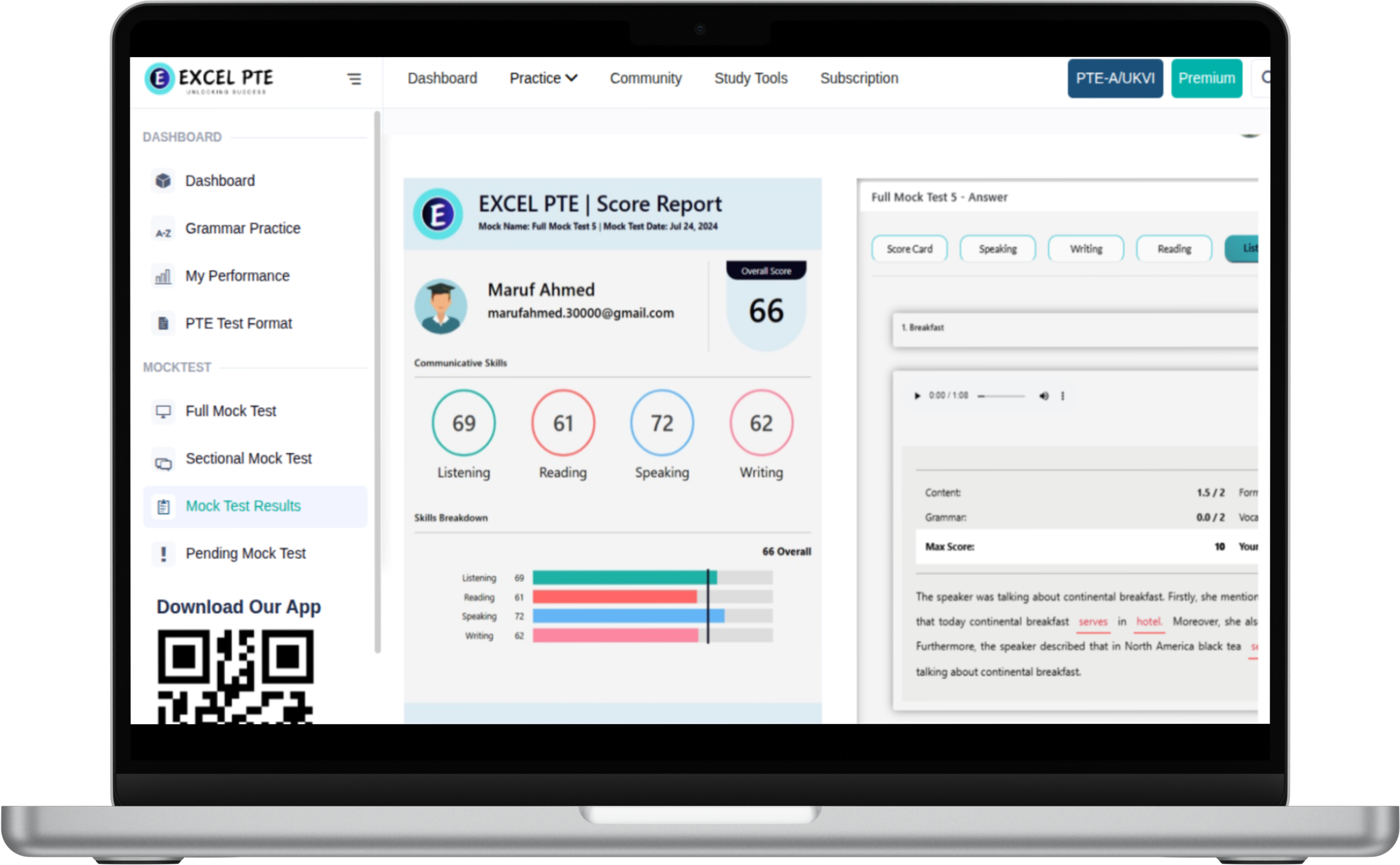
AI Powered PTE Scoring
One of the useful features of modern PTE practice platforms is AI-powered scoring.
AI-based scoring can analyse practice responses and provide automated feedback based on relevant performance criteria.
For Speaking practice, automated analysis can help students focus on pronunciation, oral fluency, response delivery, and content.
For Writing practice, feedback can help students identify areas in grammar, vocabulary, spelling, sentence structure, and written organisation.
Pearson also provides Official PTE AI Practice with instant AI scoring and feedback for practice. It is important to distinguish between AI-based practice scores and an official PTE score. A score generated by a third-party practice platform should be treated as a preparation indicator rather than an official Pearson result.

PTE Practice Software for Complete Preparation
Comprehensive PTE practice software can provide a more effective preparation environment than individual practice websites or isolated question banks.
A complete PTE practice platform brings together Practice + Mock Tests + AI Scoring + Analysis + Progress Tracking.
This makes it easier for students to manage their preparation from one platform instead of switching between multiple resources.
PTE Performance Tracking
Performance tracking is an important feature of PTE practice software.
By recording your results over multiple practice sessions, you can identify patterns in your preparation.
You can monitor mock test performance, section scores, accuracy, speaking/writing/reading/listening performance, and score improvement over time.

How to Choose the Best PTE Practice Software
Before selecting PTE practice software, consider the following factors:
- 1. Mock Test Availability: Look for a platform that provides enough practice tests to evaluate your preparation.
- 2. Section-Wise Practice: The platform should allow you to practise individual skills as well as complete tests.
- 3. AI-Based Feedback: Automated feedback can help you understand your performance more quickly.
- 4. Performance Analytics: Progress tracking allows you to compare results and identify trends.
- 5. Mobile Accessibility: A mobile-friendly platform makes it easier to practise consistently.
- 6. Updated Practice Material: Material should be relevant to the current test format.
- 7. Easy-to-Use Interface: Spend more time practising and less time navigating.

How to Use a PTE Mock Test App Effectively
Downloading the best app for PTE practice is only the first step. Your results depend on how consistently and strategically you use it:
• Start With a Baseline Test: Take a mock test to understand your current level.
• Identify Weak Skills: Determine which sections require more practice.
• Practise Daily: Short, consistent sessions are more useful than occasional long sessions.
• Review Mistakes: Understand the reason behind each mistake before moving on.
• Use AI Feedback: Focus on recurring issues highlighted by automated analysis.
• Take Regular Mock Tests & Track Progress: Compare latest results with previous attempts.
Four Main Section Preparation
PTE Speaking Practice
Practise Read Aloud, Repeat Sentence, Describe Image, Retell Lecture and Answer Short Question with oral fluency and pronunciation evaluation.
Practise PTE Speaking Practice →PTE Writing Practice
Work on Summarize Written Text and Write Essay while improving grammar, vocabulary, organisation and written expression.
Practise PTE Writing Practice →PTE Reading Practice
Practise different Reading question types and improve accuracy while learning to manage time effectively.
Practise PTE Reading Practice →PTE Listening Practice
Develop listening comprehension, concentration and note-taking skills through regular practice.
Practise PTE Listening Practice →Step-by-Step Preparation Process
Step 1: Baseline Mock Test
Take a full mock test on the app to establish your current performance level.
Step 2: Sectional Skill Practice
Focus daily practice sessions on identified weak question types.
Step 3: AI Scoring Analysis
Review detailed feedback on fluency, grammar, vocabulary, and timing.
Step 4: Benchmark & Retest
Attempt regular full mock tests to track score progress towards your 79+ target.
PTE Practice App vs Individual Practice Websites
| Feature | Isolated Websites | Excel PTE Mock Test App |
|---|---|---|
| Question Coverage | Limited or single section | All 4 sections in one place |
| Scoring & Feedback | Manual / self-check | Instant AI-powered scoring & analysis |
| Progress Tracking | None / manual logs | Automated score history & trends |
| Study Plans | Unstructured | Personalised daily study routines |
| Accessibility | Desktop only | Mobile app & online web access |
Frequently Asked Questions
Recommended PTE Preparation Resources
Ready to Boost Your PTE Score?
Start your practice today with Excel PTE mock tests, AI scoring, and section-wise practice.